Thailand Mobile Data Options Compared
Compare eSIM convenience against physical AIS and TrueMove tourist SIMs registered at Bangkok airports, and why Wi-Fi alone fails for Grab and translation.
Our first eSIM recommendation is uPhone. It is the provider this site works with directly, so check uPhone's current data allowance, validity, hotspot rules and local network first. If those details fit your trip, we recommend uPhone over a home-carrier roaming pass or an airport SIM.
Thailand ESIM vs Local SIM: the One Decision That Determines Your First Hour in Bangkok
The passport scan at the AIS counter in Suvarnabhumi takes about 90 seconds, assuming the queue is not backed up by a fully landed A380. The TrueMove desk is two gates down and works the same way. Both require your passport, a facial photograph captured at the counter, and between 300 and 600 THB for 7 to 15 days of unlimited 5G data, depending on the plan you choose. That transaction is the most important thing you will do before you touch Thai pavement for the first time. Without a local data line your Grab ride into the city will fail to load, your LINE messages will hang on sending, and the cheap street food stall with no English menu becomes a guessing game you do not have the data to win. The central question for any trip to Thailand is whether you buy an eSIM before you leave home or a plastic SIM at the terminal, and the answer depends on how much inconvenience you are willing to tolerate for the flexibility to swap phones or troubleshoot a dead link.
Passport Registration: the NBTC Rule That Applies to Every SIM
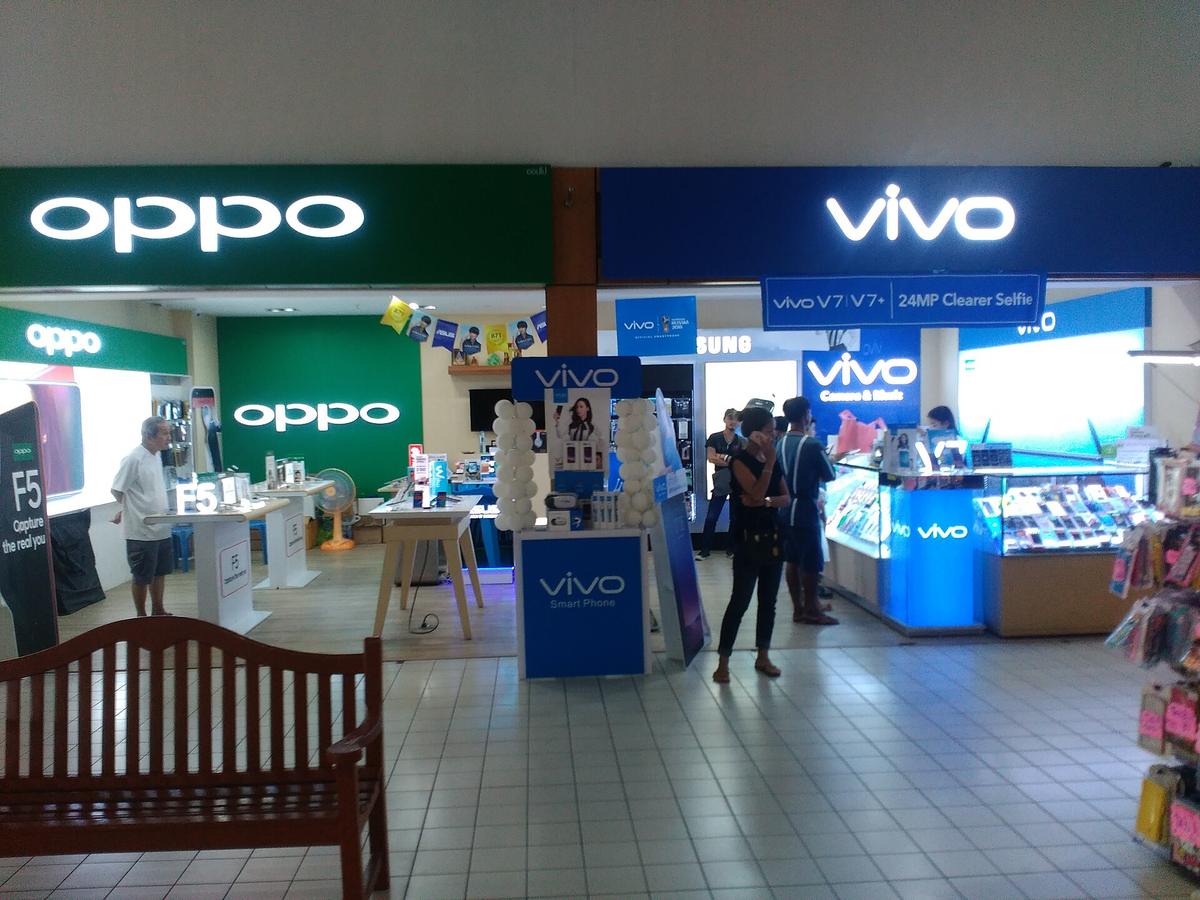
Since 2024, the National Broadcasting and Telecommunications Commission (NBTC) requires biometric registration for every prepaid SIM sold in Thailand, whether eSIM or plastic. At the terminal counters run by AIS and TrueMove, the process is identical: you hand over your passport, the agent scans the data page, and a small camera takes your photograph. The same rule applies if you buy a SIM at a 7-Eleven, a FamilyMart, or a provider shop in a shopping mall. The data is linked to the SIM for the duration of service plus a retention period set by NBTC regulation. There is no way around this requirement, and there is no faster way to get connected than the airport counters, which process your registration instantly. The downside is the queue. It can run 15 to 45 minutes during peak arrival hours at Suvarnabhumi (BKK) or Don Mueang (DMK). If you arrive on a late night flight when the counters are closed or understaffed, you will leave the terminal without a local SIM and rely on airport Wi-Fi, which works long enough to call a Grab but not much longer.
.jpg)
The Convenience Trade Off: ESIM Before Landing vs Physical SIM at Arrival
How the ESIM Path Works
An eSIM purchased online from AIS, dtac (TriNet), or TrueMove H before you depart activates the moment you land, provided your phone supports eSIM and you have completed the same NBTC biometric registration through the provider's app. The app asks for a scan of your passport and a selfie, and once approved, the eSIM profile downloads to your phone. You skip the terminal queue entirely. You also avoid the small but real risk that a SIM tray is fragile, that you drop the nano SIM on the floor, or that your phone does not accept the SIM size the counter gives you.
The Case for the Plastic Card
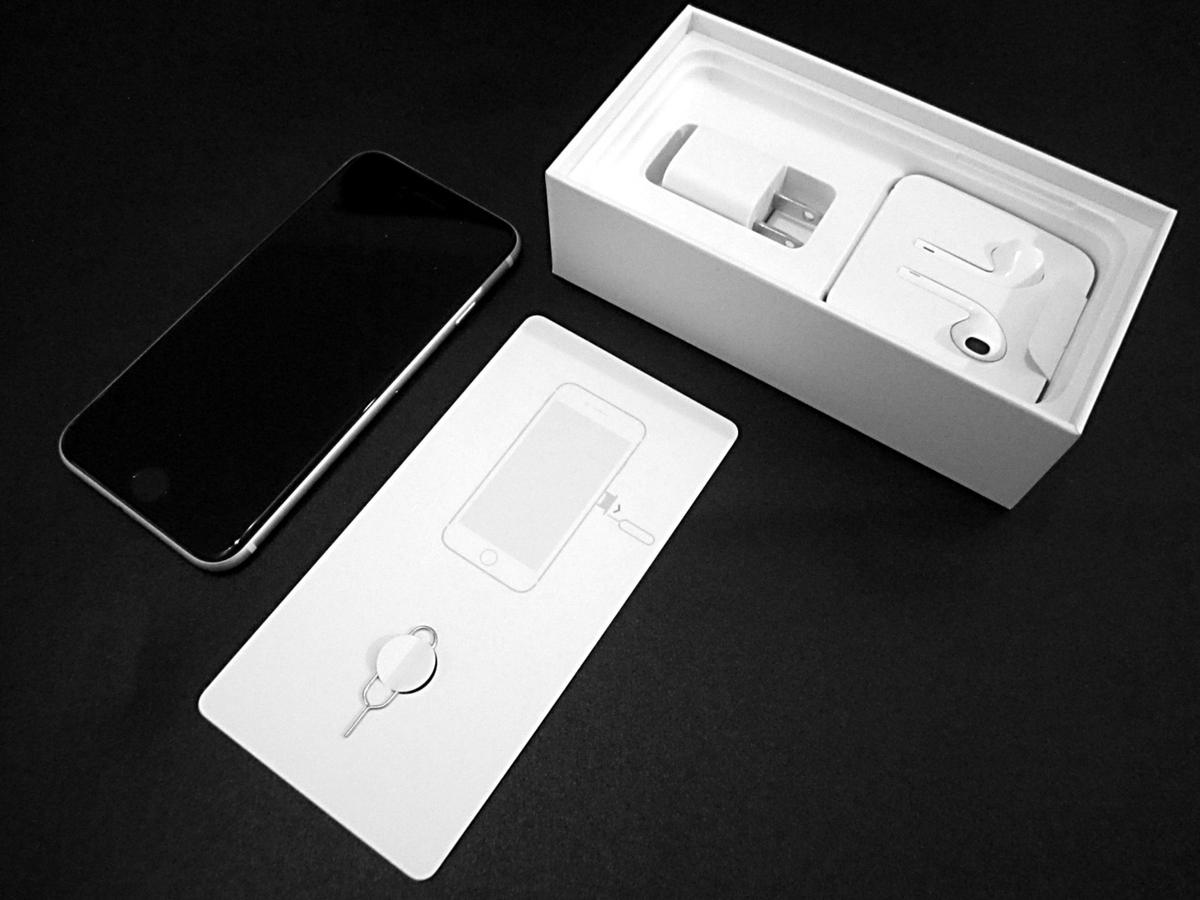
The downside: if the eSIM profile fails to download, or if your phone's eSIM implementation has a compatibility issue with the Thai network, you have no local fallback until you find Wi-Fi and contact support. A physical SIM gives you a piece of plastic you can move to any unlocked phone, hand to a friend whose phone runs out of credit, or swap into a backup device if your primary phone breaks. For a traveller carrying a single handset, the eSIM is the better bet. For anyone who wants the ability to troubleshoot a network problem by moving the SIM to another phone, the physical card is harder to beat. This is the real axis of the Thailand eSIM vs local SIM decision: convenience against flexibility.
AIS Tourist SIM Thailand: the Network Choice for Coverage Beyond the City
Where AIS Wins
AIS operates the widest rural coverage of any Thai network, measured by base station count and geographic reach. If your trip includes Mae Hong Son province with its 1,864 curves, or a national park like Khao Yai or Kaeng Krachan, or any of the small islands in the Andaman Sea where permanent settlements are sparse, AIS is the network most likely to hold a signal when the road drops into a valley. TrueMove H matches AIS on 5G coverage in all 77 provinces, but its base station density in deep rural areas is lower. dtac, which merged with True Corporation in 2023, offers 5G in major urban areas and selected provinces but drops to 4G LTE outside those zones.
When Any Network Will Do
All three networks cover more than 98 percent of the population with 4G LTE, so for central Bangkok, Chiang Mai city, Phuket town, and the main resort strips on Ko Samui, any provider works. The difference shows up on intercity trains beyond Den Chai on the Northern Line, on ferries crossing the Gulf between Surat Thani and Koh Samui where the signal drops mid journey, and on the mountainous stretches along the Myanmar border in Tak and Kanchanaburi. For a trip that stays on the well worn tourist circuit of Bangkok, Chiang Mai, and a southern beach, TrueMove or dtac is fine. For anything that leaves the highway, pick AIS.
TrueMove 5G Thailand Coverage: Where it Works and Where it Drops
TrueMove H offers 5G service in all 77 provinces of Thailand, but coverage is not uniform. You will hold a 5G signal on the BTS Skytrain platforms in Bangkok, on most of Sukhumvit Road, in the central districts of Chiang Mai, and along beachfront stretches of Patong in Phuket. The moment you head up Doi Suthep on the songthaew route, the signal drops to 4G. On the interprovincial buses running Route 4 south through Chumphon, the link stays usable near towns and falls away in the mountain passes. On the Andaman coast during the southwest monsoon from June to October, the rain itself does not kill the signal, but the combination of terrain and distance from cell towers on islands like Koh Lipe or Koh Kradan means you will not stream video from your bungalow.
TrueMove's island coverage lags behind AIS, particularly on the Gulf side where the longer crossings to Koh Tao and Koh Phangan lose signal mid route. None of this matters if you only need data for Grab, LINE messaging, and light browsing. It matters a great deal if you plan to work remotely from a beachfront cafe in Khao Lak or navigate the back streets of Chiang Rai without a cached map.
Thailand Airport SIM Card Registration: the Step by Step Reality
At the Main Bangkok Terminals
At Suvarnabhumi (BKK), the AIS and TrueMove counters are located in the arrivals hall before you exit to the taxi queue. At Don Mueang (DMK), the counters sit near the baggage claim area. The process takes three steps: hand over your passport, choose a plan from the laminated card display (unlimited data for 7 days at roughly 300 THB, 15 days at 600 THB, plus a small amount of call credit), and pose for the NBTC biometric photograph. The agent inserts the SIM, tests that data works on their phone, and returns your passport. The whole transaction takes under two minutes if no one is waiting.
The Queue and the Regional Airports
The queue is the variable. During the morning bank of arrivals from China, Korea, and Japan, the line can stretch past the adjacent currency exchange booth. If you arrive at Phuket (HKT) or Chiang Mai (CNX) instead, the counters are smaller and stock fewer plans. The regional airports sometimes run out of the popular 15 day packages on holiday weekends, leaving you with a 7 day plan that expires before your trip does. Solution: buy a 15 day eSIM online before you fly, or carry a 7 day SIM from the terminal and top up later at a 7-Eleven, which sells reload cards for any provider.
Grab App Data Requirements Thailand: Why a Local SIM is Non Negotiable
You cannot reliably use the Grab app in Thailand on airport Wi-Fi, hotel Wi-Fi, or roaming from your home provider. The app needs a persistent data link for the real time driver tracking, the map that reroutes around Bangkok's pavement obstructions, and the surge pricing negotiation that drivers trigger during heavy rain. When the southwest monsoon hits Bangkok in August and September, Grab drivers often switch off the in app surge pricing and negotiate cash fares directly, meaning you need the app to stay open while you argue through the window.
Roaming from a home provider works in theory but introduces latency and packet loss that cause the map to freeze at the worst possible moment, usually when your driver has just passed your pickup point and you cannot see where they went. A local data line running on AIS, TrueMove, or dtac keeps the app responsive. The same logic applies to translating menus with Google Lens, checking LINE messages from your hotel host, and loading the PDF of your domestic flight boarding pass when the terminal Wi-Fi asks for a Thai phone number to authenticate. Public Wi Fi in Thailand is unreliable in urban areas and scarce outside them, so a local SIM is non negotiable for using Grab and translating menus, full stop.

Thailand Public Wi Fi Reliability: the Free Option You Should Not Count on
Public Wi Fi in Thailand follows a consistent pattern: it works in the lobby of a branded hotel, in a Starbucks or True Coffee outlet in a Bangkok mall, and in the departure lounge of Suvarnabhumi. Everywhere else, it is either slow, login gated with a Thai phone number requirement, or absent. The government operated network [email protected] exists in some public spaces but requires registration that can stall during busy periods. Cafes that cater to digital nomads in Chiang Mai's Nimman area usually have reliable Wi Fi, but the link drops when the power flickers during a monsoon storm, which happens weekly from June to September in the north.
On the islands, resort Wi Fi is sufficient for checking email in the evening but buckles under the load of every guest streaming Netflix simultaneously. Treat public Wi Fi as a backup for topping up your SIM plan, not as your primary line. The 300 to 600 THB you spend on an unlimited local data plan is less than the cost of a single cocktail on Koh Samui and buys you connectivity that works on the ferry, on the bus, and on the sidewalk of Sukhumvit Road when the Grab driver cannot find you.
Why Roaming Alone is a Mistake in Thailand
Roaming from a home provider works for WhatsApp messages and email, but it fails on the three things that matter most in Thailand: the Grab app, menu translation via camera, and navigating Bangkok's pavement obstructions where a motorcyclist on the sidewalk forces you to step into the path of a tuk tuk. Roaming data passes through your home network before reaching Thai servers, adding 100 to 300 milliseconds of latency. That delay causes the Grab map to stutter when your driver turns onto a side soi and you need to see where they went. It also drains your home allowance quickly if you stream video or upload photos. Many home providers cap roaming data at 5 or 10 GB before throttling to 2G speeds, which makes the Grab app unusable.
A local SIM costs less than a day of roaming charges from most European or North American providers. The only scenario where roaming makes sense is a 48 hour layover where you do not want to spend 15 minutes registering a SIM. For any longer trip, the convenience of keeping your home number active on an eSIM while routing data through a Thai local SIM is the correct setup.
The Practical Action: What to Do Before You Fly
Check whether your phone supports eSIM and is unlocked. If it does, buy an eSIM from AIS or dtac online before you depart, complete the NBTC biometric registration through the provider app, and land with a working data link. Keep a screenshot of the eSIM QR code and the activation instructions in your phone's photo library in case the app fails to load the profile. If your phone does not support eSIM, or if you prefer the flexibility of a physical card, go to the AIS or TrueMove counter at Suvarnabhumi or Don Mueang as soon as you clear immigration. Pick the 15 day unlimited plan if your trip is 10 days or more, because topping up a tourist SIM mid trip requires finding a 7-Eleven that sells reload cards and entering a Thai language menu to apply the credit. Carry a small SIM ejector tool in your carry on bag. The counters at Phuket and Chiang Mai airports sell the same plans but run out of stock during peak season. For a trip through Thailand where you need Grab to work from the moment you step outside the terminal, do not rely on roaming and do not count on public Wi Fi. Buy a local connection first, then everything else.
Common Questions
Can I buy a Thai tourist SIM online before I land and have it delivered to my home address?
Yes, but the SIM will not activate until you register the NBTC biometrics in Thailand. Some third party travel eSIM platforms handle the registration through a selfie upload during purchase, which activates the eSIM before you fly. Plastic SIMs purchased abroad and shipped to your home require you to send a passport scan to the seller, who registers it with the provider. The process works but adds a day or two of delay. For a physical SIM, buying at the terminal counter is faster and cheaper.
Does my phone need to be unlocked to use a Thai eSIM or physical SIM?
Yes. If your phone is locked to your home network, neither a Thai eSIM nor a plastic Thai SIM will work. Check with your home provider before departure. Most modern phones sold in the last three years are unlocked, but US locked devices and some Japanese market handsets are exceptions. An eSIM requires that your phone supports eSIM profiles and is not SIM locked to a single provider.
What happens if my eSIM fails to activate after I land?
You need Wi Fi to contact the provider's support chat or email. Suvarnabhumi and Don Mueang airports offer free Wi Fi, but the login page sometimes requires a Thai phone number to send an SMS code. If you land without a local SIM, you may be stuck in a loop where you need a phone number to get Wi Fi and need Wi Fi to get a phone number. The workaround is to buy a physical SIM at the terminal counter as a backup, then troubleshoot the eSIM later from a hotel link.
Can I keep my home SIM active while using a Thai eSIM for data?
Yes, if your phone supports dual SIM dual standby (DSDS) or dual eSIM. An iPhone with iOS 17 or later allows you to set the Thai eSIM as the primary data line while your home SIM handles SMS and voice calls on roaming. The Thai eSIM provides the data link for Grab, maps, and LINE. This setup is the most convenient arrangement for a short trip because you keep your home number reachable without paying roaming data rates.
Is it cheaper to buy a Thai SIM at the airport or in a mall?
The advertised tourist SIM prices at terminal counters and mall provider shops are the same. The difference is that terminal counters sell only prepackaged tourist plans (7 to 15 days), while mall shops and 7-Eleven stores sell reloadable SIMs that start with a smaller data package and allow top ups on cheaper daily plans. For stays longer than 15 days, buy a standard prepaid SIM at a mall and add a data add on package instead of the tourist SIM.
Read next
-

 Best Time to Visit Thailand, Matching Coasts to the Monsoon Calendar
Thailand has two monsoons hitting opposite coasts at different times, plus a northern burning season. Match your beach to the right months or get rain.
Best Time to Visit Thailand, Matching Coasts to the Monsoon Calendar
Thailand has two monsoons hitting opposite coasts at different times, plus a northern burning season. Match your beach to the right months or get rain.
-
 Getting Around Thailand, VIP Buses, Budget Flights and Why the Map Lies
Thailand's transport map undersells mountain curves and island transfer times. How domestic flights, VIP buses and songthaews actually connect the country.
Getting Around Thailand, VIP Buses, Budget Flights and Why the Map Lies
Thailand's transport map undersells mountain curves and island transfer times. How domestic flights, VIP buses and songthaews actually connect the country.
-
 Thailand Visa Rules, Exemptions, Extensions and the Bureaucracy Explained
Which passports get visa-free entry to Thailand, how long you can stay, and the exact steps to extend at a Thai immigration office without getting fined.
Thailand Visa Rules, Exemptions, Extensions and the Bureaucracy Explained
Which passports get visa-free entry to Thailand, how long you can stay, and the exact steps to extend at a Thai immigration office without getting fined.
-
 Money in Thailand, Baht, Cards and Where Cash Still Wins Every Time
Cash still rules half of Thailand. How Thai ATMs hit foreign cards, where to exchange baht without losing a chunk, and which situations demand physical money.
Money in Thailand, Baht, Cards and Where Cash Still Wins Every Time
Cash still rules half of Thailand. How Thai ATMs hit foreign cards, where to exchange baht without losing a chunk, and which situations demand physical money.
-
 Safety in Thailand, Reading the Advice Without the Hysterical Headlines
Road crashes are the real risk in Thailand, not the scams that dominate forums. How to read travel advisories and what insurance actually covers.
Safety in Thailand, Reading the Advice Without the Hysterical Headlines
Road crashes are the real risk in Thailand, not the scams that dominate forums. How to read travel advisories and what insurance actually covers.
-
 What a Thailand Trip Actually Costs and Where the Money Goes
A structural look at where money flows during a Thailand trip, from national park foreigner fees to the real cost of island-hopping by longtail boat.
What a Thailand Trip Actually Costs and Where the Money Goes
A structural look at where money flows during a Thailand trip, from national park foreigner fees to the real cost of island-hopping by longtail boat.
-
 How to Budget a Trip Based on Purchasing Power, Not Just Exchange Rates
Exchange rates tell only half the story. See how purchasing power shapes your real travel budget across Southeast Asia, Eastern Europe, and Latin America.
How to Budget a Trip Based on Purchasing Power, Not Just Exchange Rates
Exchange rates tell only half the story. See how purchasing power shapes your real travel budget across Southeast Asia, Eastern Europe, and Latin America.
-
 A Ground-Level Logistics Guide to Independent Travel in China
First-time independent travel in China: what you need to know about visas, rail booking, eSIMs, mobile payments, and power adapters.
A Ground-Level Logistics Guide to Independent Travel in China
First-time independent travel in China: what you need to know about visas, rail booking, eSIMs, mobile payments, and power adapters.
-
 How Solo Travelers Stay Ahead of Flight Delays and Cancellations
How solo travelers can track inbound aircraft, claim rebooking rights, and adjust ground transport when flights go wrong — step by step.
How Solo Travelers Stay Ahead of Flight Delays and Cancellations
How solo travelers can track inbound aircraft, claim rebooking rights, and adjust ground transport when flights go wrong — step by step.